How to Find & Enter Your ERC Code (Step-by-Step)
Imported a Japanese car? A Japanese "password" screen (パスワード認証) on your navi
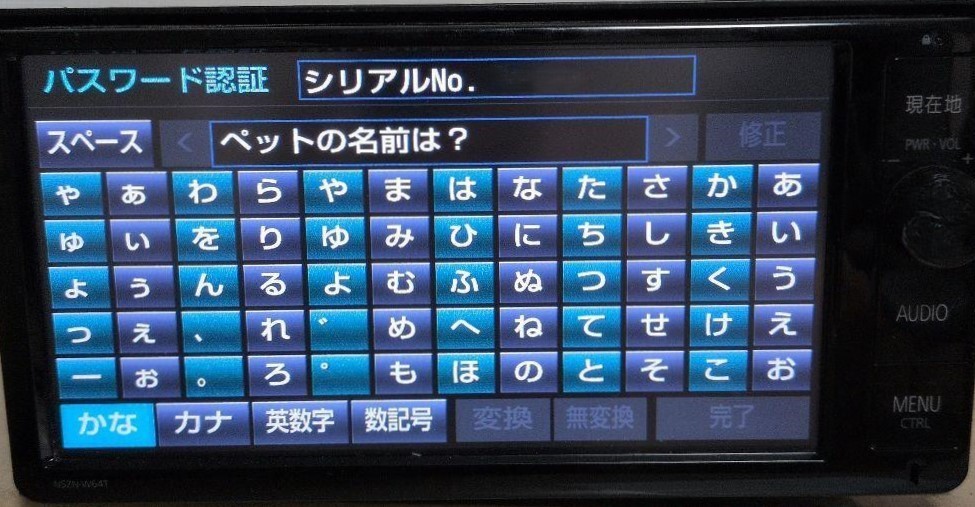
If your imported Japanese factory (dealer-option) head unit shows a Japanese screen titled パスワード認証 ("Password Authentication") — with a Serial No. (シリアルNo.) in the top-right corner and a hiragana keyboard you cannot type on — that is the ERC security lock. It appears after a battery change, or after buying the car at auction or second-hand. Sometimes a security question set by the previous owner (for example, "pet's name") is shown as well — and if you bought the car used, you have no way to know the answer. That is exactly why you need the ERC unlock code. It is free: follow the steps below to open the service mode, read your 16-digit ERC code, and generate the 8-digit unlock code on this site.
What is an ERC Code
ERC code is a 16-digit alphanumeric code (using 1,2,3,4,5,6,7,8,9,0,A,B,C,D,E,F) used in Japanese car navigation and audio security systems. This code is designed to lock the unit as a theft prevention feature when the unit is removed from the vehicle or when the battery is depleted or replaced.
About Unlocking
This site provides support for legitimate owners to unlock their devices. By entering the 16-digit ERC code, an 8-digit unlock code will be generated. The service is free for anyone to use, regardless of whether you are an individual, organization, or company, and regardless of where you live.
How to Check Your ERC Code
Steps:
1. Press and hold the button on the navigation unit.
2. While holding the button, turn the vehicle's small lamp ON/OFF 3-4 times.
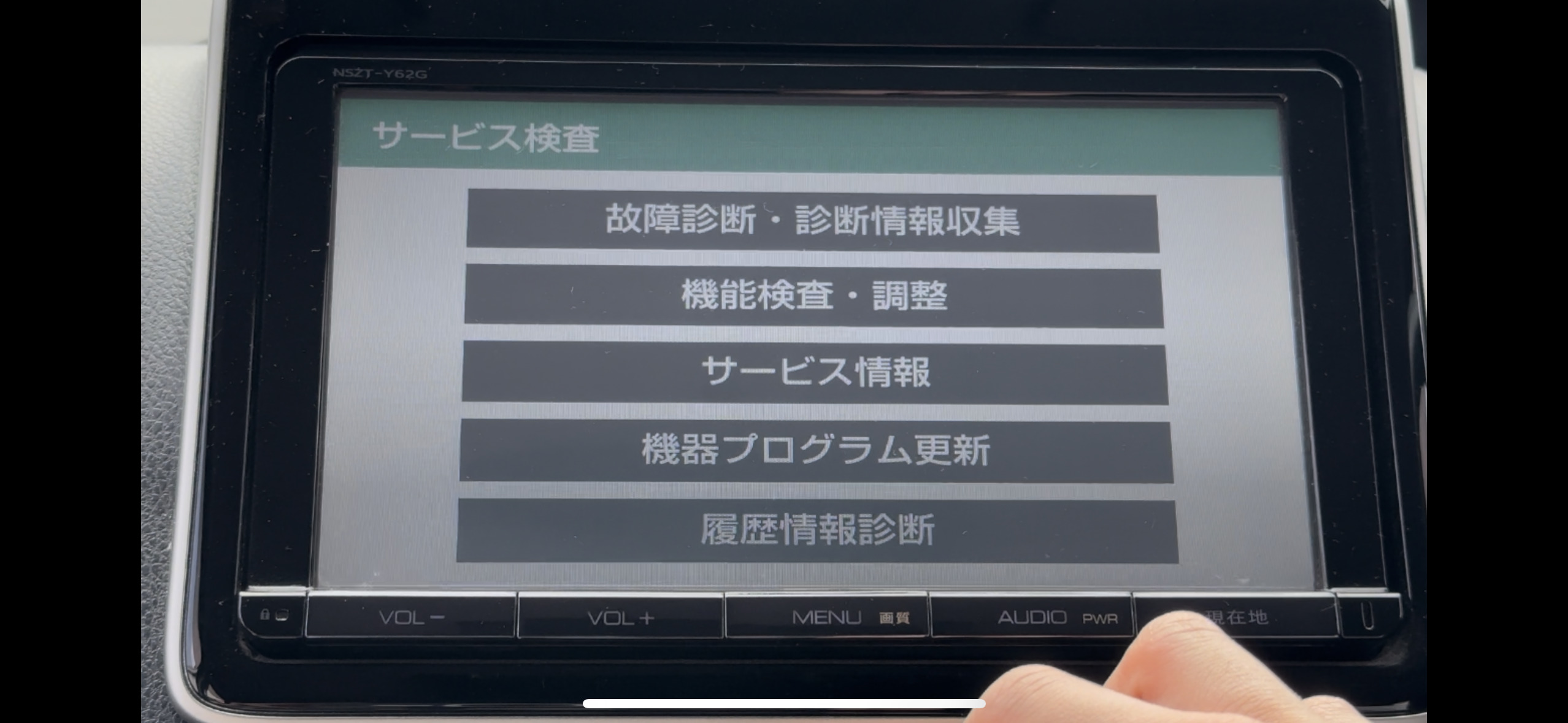
3. Release the button when "Service Inspection Mode" appears on the screen.
4. Select "Service Information" from the displayed menu.
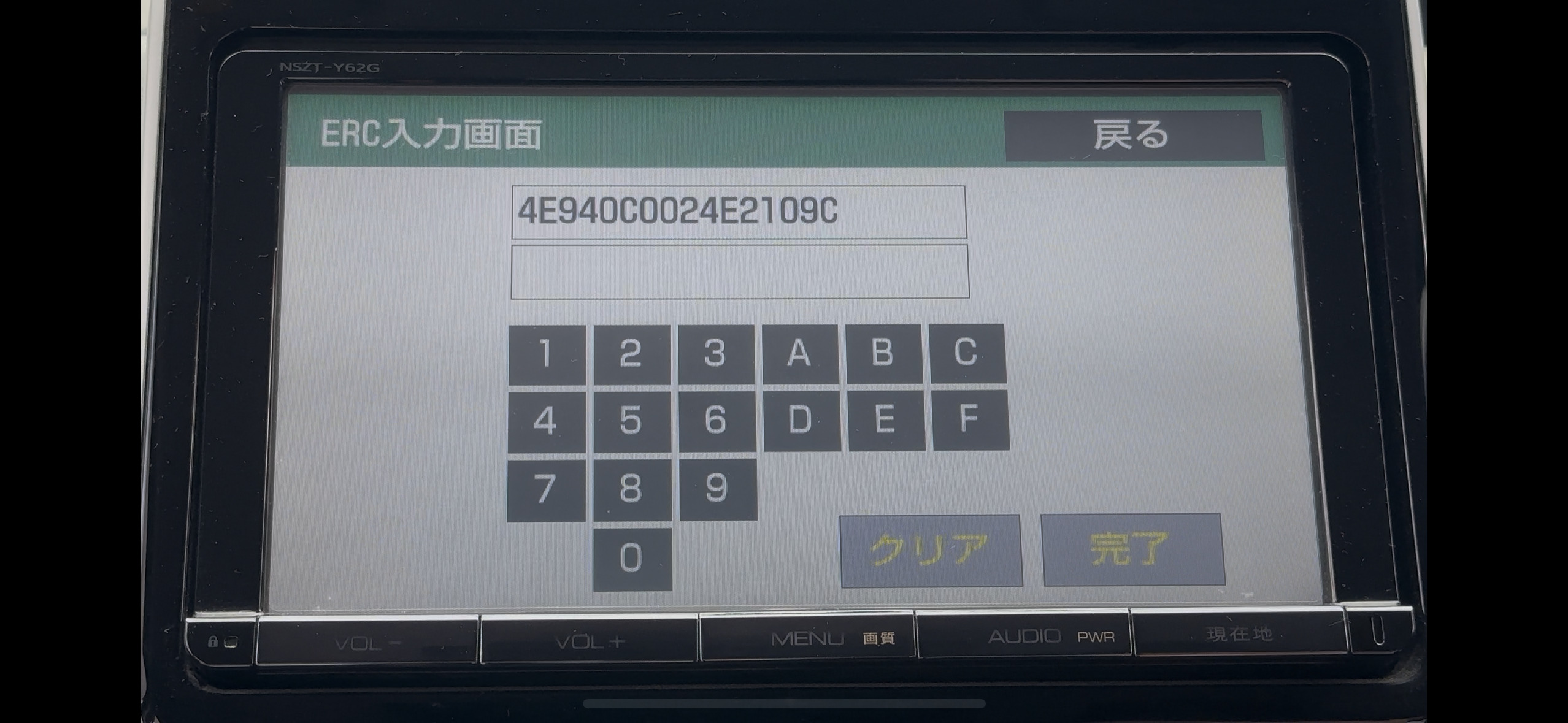
5. Touch the "Security Code Entry" button.
6. The 16-digit ERC code will be displayed on the screen. Note this code down.
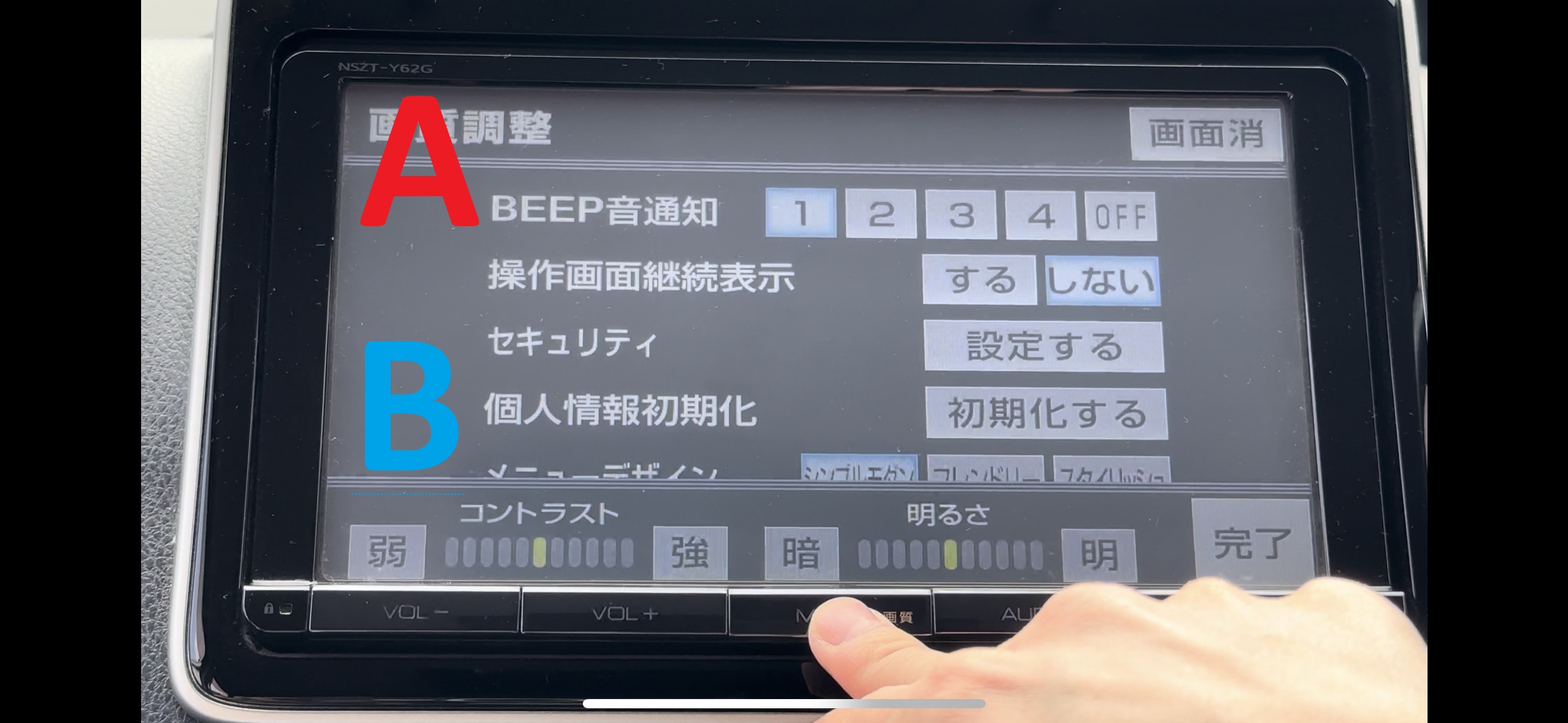
Steps:
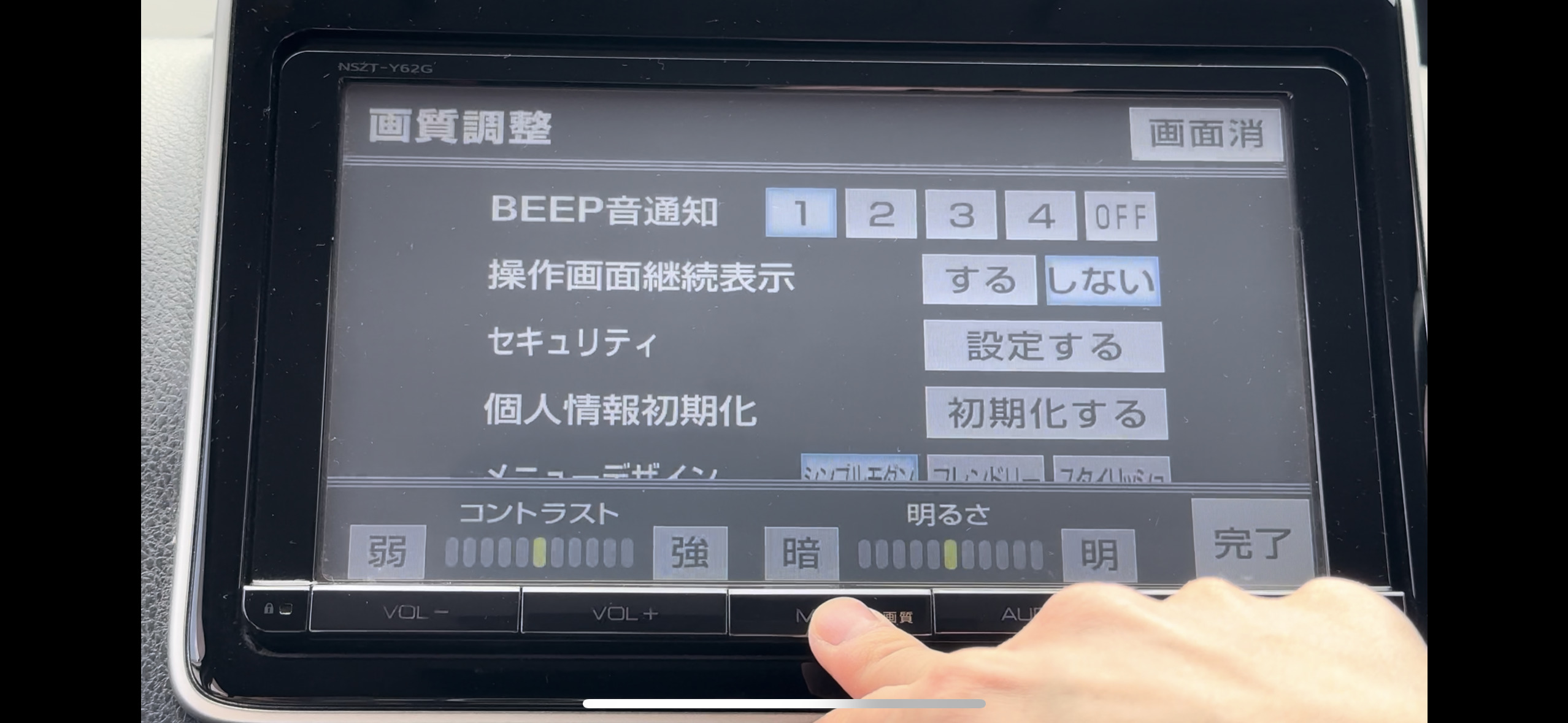
1. Long press the button on the navigation unit.
2. When the picture quality adjustment mode appears, touch the following positions on the screen in sequence:
Upper left (A) → Lower left (B) → Upper left (A) → Lower left (B) → Upper left (A) → Lower left (B)
3. When touched correctly, the screen will switch to service inspection mode.
4. Select "Service Information" from the displayed menu.
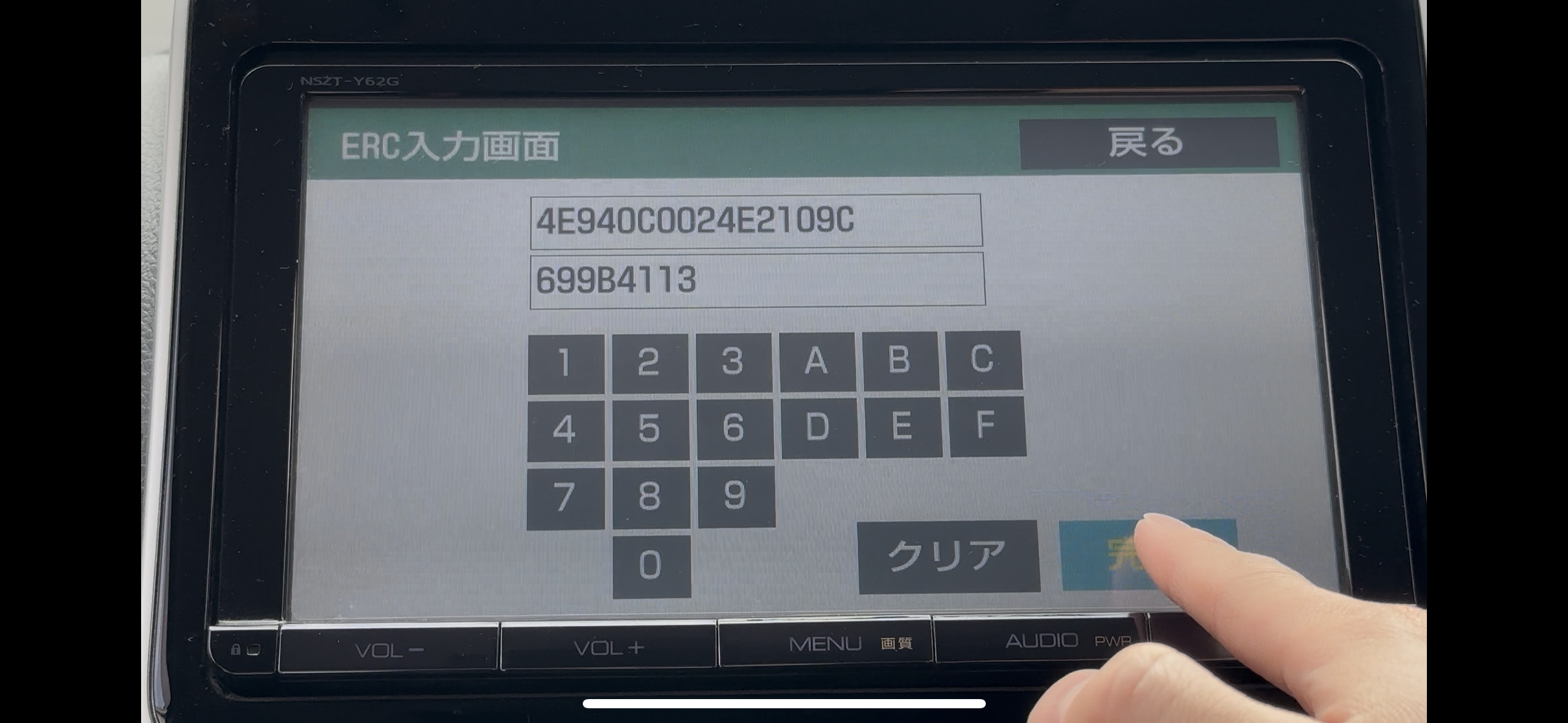
5. Touch the "Security Code Entry" button.
6. The 16-digit ERC code will be displayed on the screen. Note this code down.
How to Get the Unlock Code
Steps:
1. Access the homepage of this site.
2. Enter the 16-digit ERC code you confirmed in the input form.
3. Click the "Generate Unlock Code" button.
4. Note down the 8-digit unlock code that is displayed.
Steps:
1. Display the "Security Code Entry" screen in the service inspection mode of the navigation unit.
2. Enter the 8-digit unlock code generated by this site.
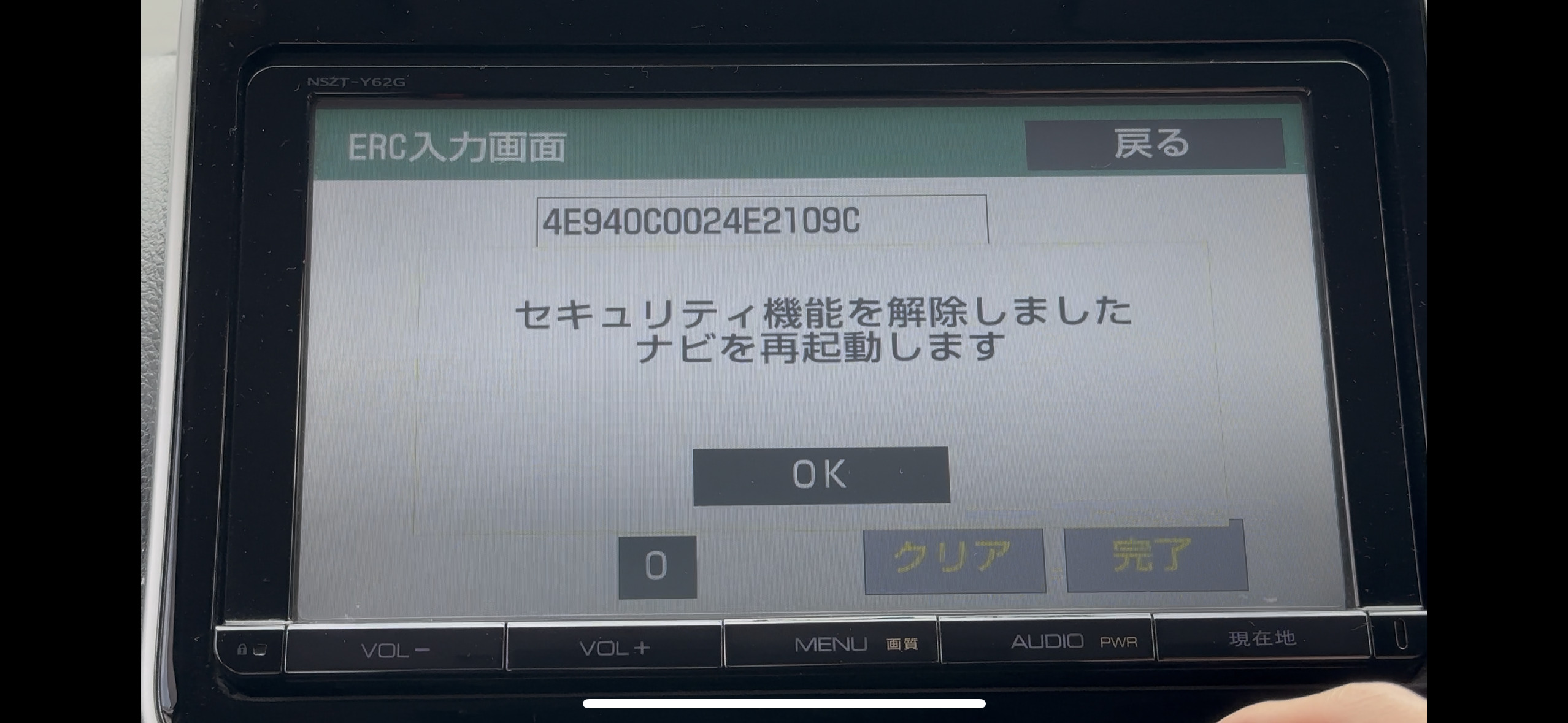
3. Touch the complete button.
4. When the correct code is entered, a message stating "Security function has been released. The navigation will restart" will be displayed, and the navigation function will be restored.
Frequently Asked Questions
Q: What should I do if the ERC code is not displayed?
A: The method of entering the service inspection mode may differ depending on the model. Please try Method 1 or Method 2.
Q: What if the unit doesn't unlock even after entering the unlock code?
A: Please confirm that you have entered the code correctly. Also, the service may not be compatible with newer models.
Q: Why does the unit lock after battery replacement?
A: Car navigation and audio units are designed to lock when power is cut off as a theft prevention feature. This is a security function to protect legitimate owners.
Q: I turned on my car and it shows a "パスワード認証" (Password Authentication) screen with a Serial No. What is it?
A: That is the ERC security lock on the Japanese factory (dealer-option) navigation. It appears after a battery change, or after buying the car at auction or used. Read the 16-digit ERC code from the service mode (this is separate from the Serial No. shown on screen), then generate the free 8-digit unlock code on this site.
Q: Are "security lock", "unlock password" and "ERC code" the same thing?
A: They are different names for the same factory-navigation anti-theft lock (ERC). What resellers call a "security lock release" or "unlock password" is exactly the ERC unlock this site calculates. The 16-digit code shown on screen is the ERC code; the 8-digit code it converts to is your unlock code (password).
Q: Is the "Serial No." on screen the same as the 16-digit ERC code?
A: No. The Serial No. is the unit's manufacturing number and is not used for unlocking. What you need is the 16-digit ERC code (characters 0-9 and A-F) shown in the service mode. Enter that 16-digit code on this site to get the 8-digit unlock code.